
电脑reboot and select proper解决方法
时间:2020-12-15
|
文章作者:小芳
需要检测是否在BIOS里关闭了硬盘,如果是关闭状态将其打开设置即可。
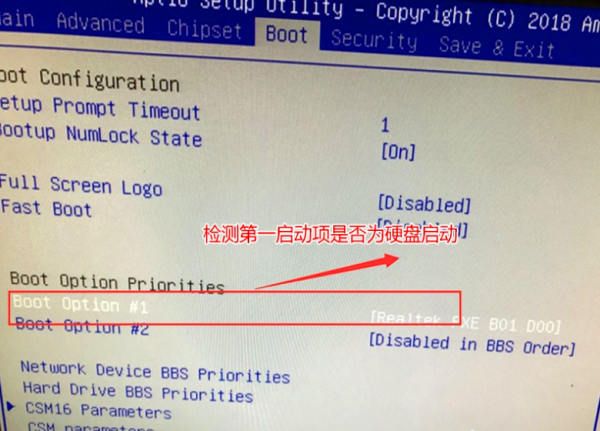
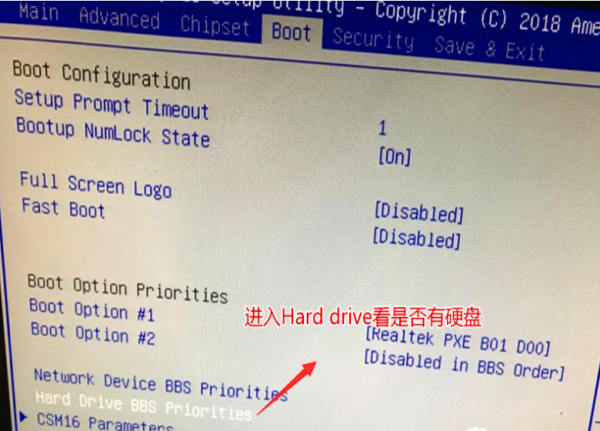
1、开机之后进入BIOS界面,打开Boot选项检查硬盘是否为第一启动项
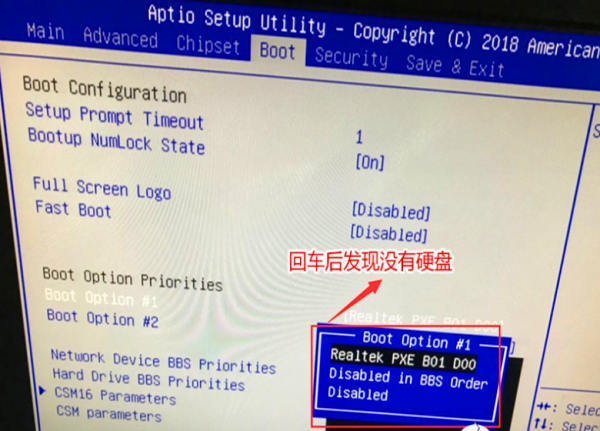
2、点击键盘上的回车,回去之后如果发现没有硬盘
3、接着可以进入hrad drive bbs priorities选项看硬盘是否关闭
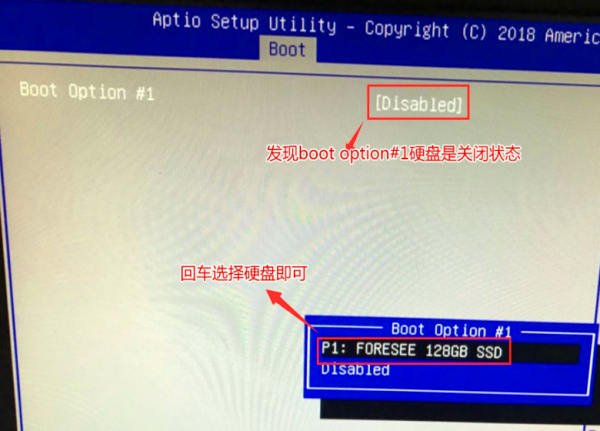
4、进入hrad drive bbs priorities选项后发现Boot option #1默认是关闭状态,然后回车看是否有硬盘,如果有话的直接回车选择硬盘
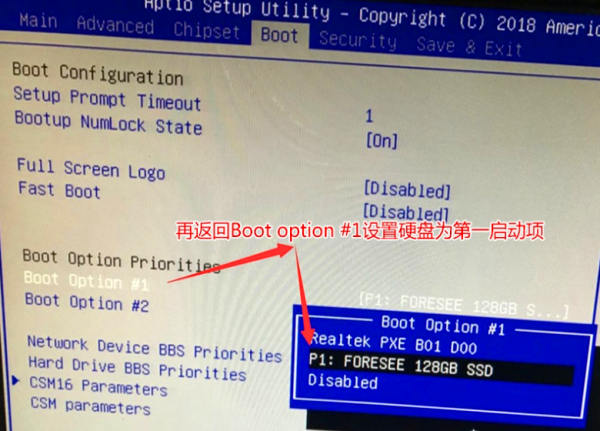
5、返回Boot选项,在Boot option # 1中回车就可以看到硬盘,选择硬盘为第一启动项,最后按F10保存重启即可
点击查看更多↓
系统推荐
更多+