

bios如何设置防病毒保护
时间:2021-04-08
|
文章作者:残月
1、启动电脑,按del键进入bios界面(按相应电脑品牌快捷键进入),然后选择“boot→security”。
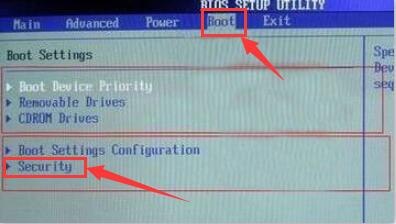
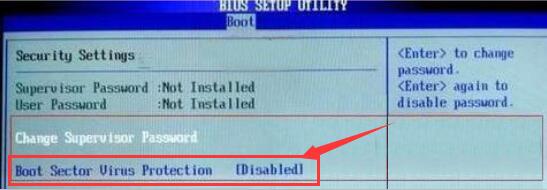
2、之后在窗口中,选择“Boot Sector Virus Protection”将后面状态改为“Enabled”,完成设置后,保存重启即可。
点击查看更多↓
系统推荐
更多+