
smartscreen筛选器怎么关闭
时间:2021-01-14
|
文章作者:小芳
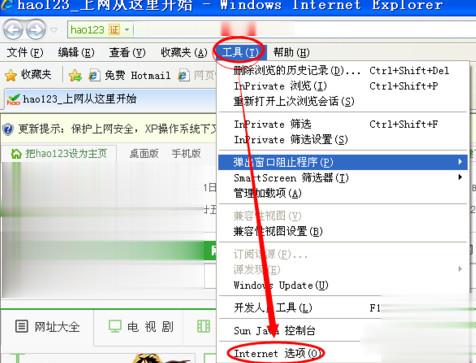
首先打开IE浏览器,然后点“工具”,再点“internet选项”。
然后在弹出的串口里,点“安全”那一栏,再找到并点击“自定义级别”。
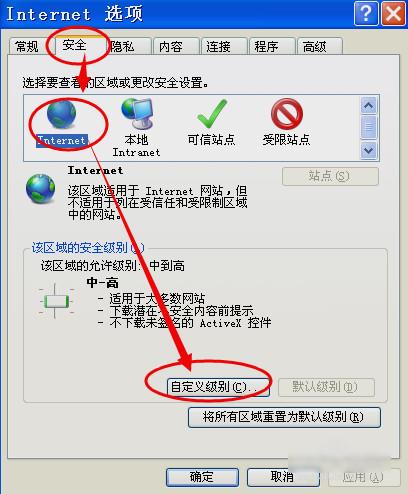
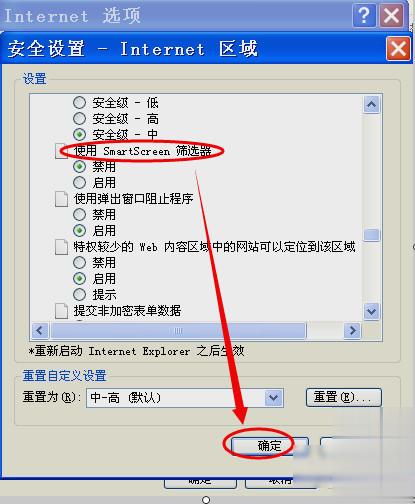
最后点开之后,在“使用smartscreen筛选器”中,选“禁用”项。设好之后点确定即可。这样就关闭smartscreen筛选器了。
点击查看更多↓
系统推荐
更多+