
找不到bluetooth外围设备驱动程序
时间:2021-02-12
|
文章作者:小芳
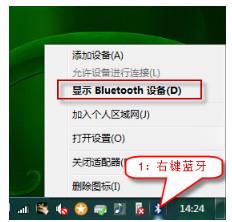
右键右下角的蓝牙图标单击显示Bluetooth设备
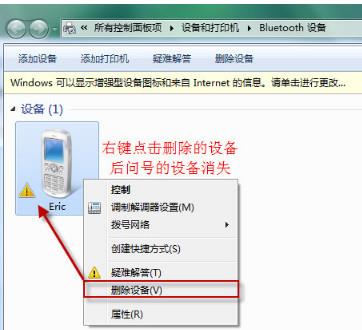
右键配对过的蓝牙设备后单击删除设备,Bluetooth外围设备消失
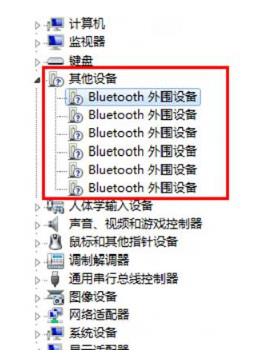
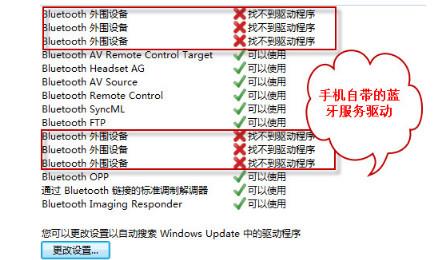
在“设备管理器中”有未安装的“ Bluetooth 外围设备”显示叹号或问号。
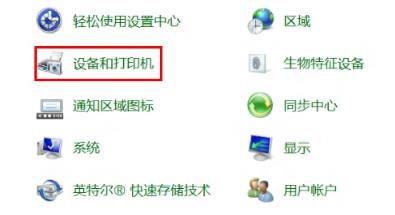
找到打开“控制面板”中的“设备和打印机”
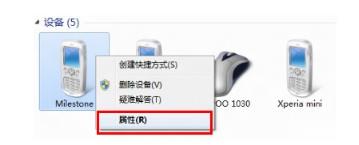
找到“设备”中的曾经链接过的蓝牙设备点击右键“属性”
选择“硬件”能够看到未安装好的“ Bluetooth 外围设备”
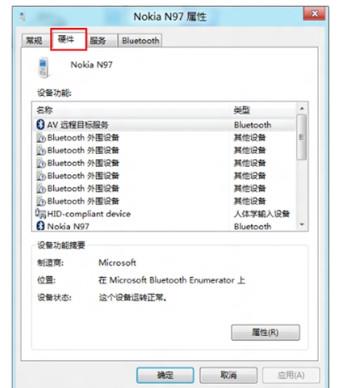
选择“服务”之后能够看到该设备支持的功能所需的所以服务,未安装的 Bluetooth 外围设备就是由于这些服务没有安装成功驱动导致,自行查找设备的蓝牙驱动安装后即可。将部分功能的服务取消,之后即可不再显示在设备管理器中。
点击查看更多↓
系统推荐
更多+